General Ledger
General Ledger
3 views
Jun 11, 2026
Updated Sep 01, 2026
General Ledger
Screen Location - Main Menu > Accounting > General Ledger
Overview
The General Ledger module provides a detailed view of all posted transactions for specific accounts or journal entries. It allows users to review journal entries, drill down into account details, view balances, and access supporting documents.
Screen 1: General Ledger Transaction List (Journal View)
This screen displays the individual lines of a General Journal entry.
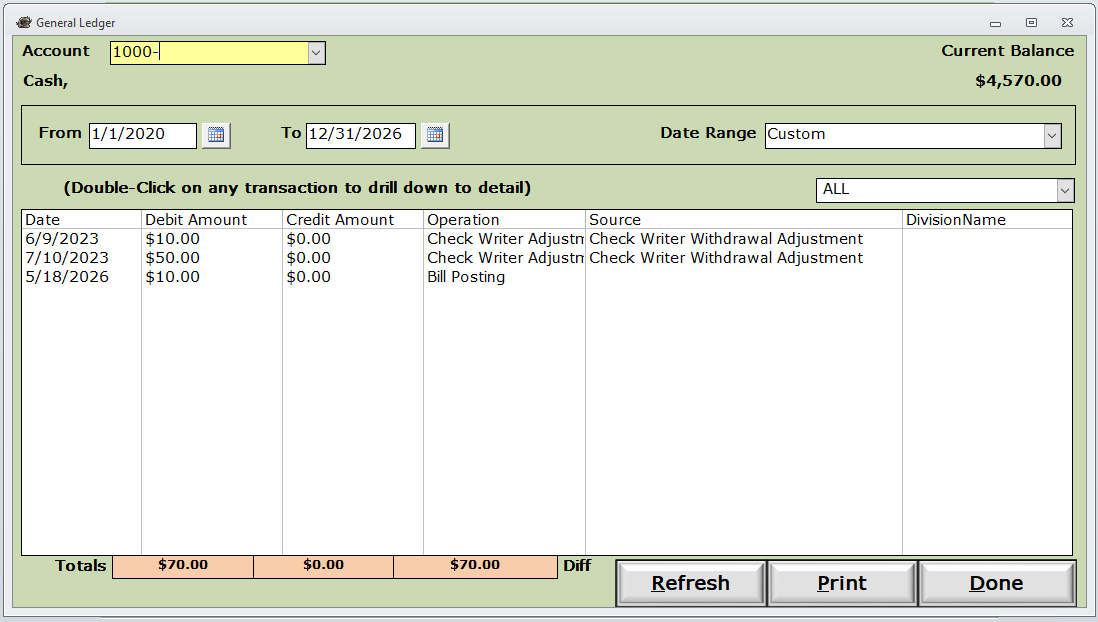
Key Elements:
- Transaction Table columns:
- Date: Posting date of the transaction.
- Acct/Sub: Account number and any sub-account.
- Acct/Sub Description: Full name of the account (e.g., "Cash", "Finance Charges", "Chevy Chase Checking").
- Debit Amount: Amount debited to the account.
- Credit Amount: Amount credited to the account.
- Operation: Type of transaction (e.g., "Check Writer Adjustment").
- Division: (Optional) Division assignment if applicable.
Bottom Section:
- View Document button: Opens the supporting source document for the journal entry.
- Totals: Shows total Debits and Credits for the entry (should balance).
- Print / Done buttons.
Screen 2: Account Detail / Drill-Down View
This is the detailed transaction register accessed by double-clicking a line or selecting an account in the General Ledger.
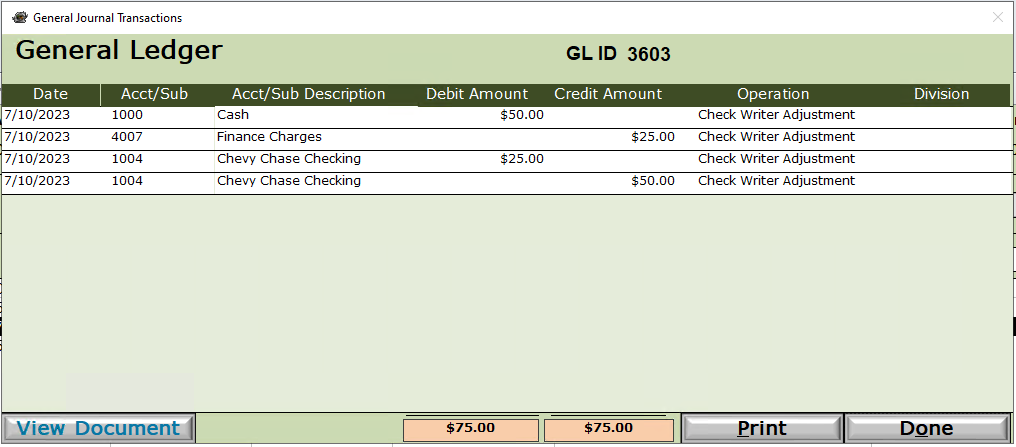
Key Elements:
- Account: Selected GL account (e.g., 1000 – Cash).
- Current Balance: Running balance for the selected account as of the end date.
- Date Range: Filters transactions (From / To dates, with preset or Custom options).
- Transaction Table:
- Date
- Debit Amount
- Credit Amount
- Operation
- Source: More detail on the origin (e.g., "Check Writer Withdrawal Adjustment", "Bill Posting").
- DivisionName
- Totals row: Aggregates Debits, Credits, and net difference.
- Refresh, Print, and Done buttons.
How to Access
- Navigate to Accounting > General Ledger.
- Search or select a specific account.
- The first screen shows the journal entry lines.
- Double-click any transaction line (or select an account) to open the detailed account register (Screen 2).
Common Uses
- Reviewing posted journal entries for accuracy.
- Investigating adjustments (e.g., Check Writer Adjustments).
- Verifying account balances and transaction history.
- Printing ledger reports or supporting documentation.
Tips
- Debits and Credits in a journal entry must balance (Totals should match).
- Use the Date Range filter in the detail view to narrow transaction history.
- The View Document button provides access to the original source document linked to the journal entry.
Please call or Email us for Information on this topic.