Ticket Search
Ticket Entry
2 views
Mar 18, 2026
Updated Sep 01, 2026
Ticket Search
Screen Location - Main Menu > Tickets and Time > Ticket Entry > Search Button
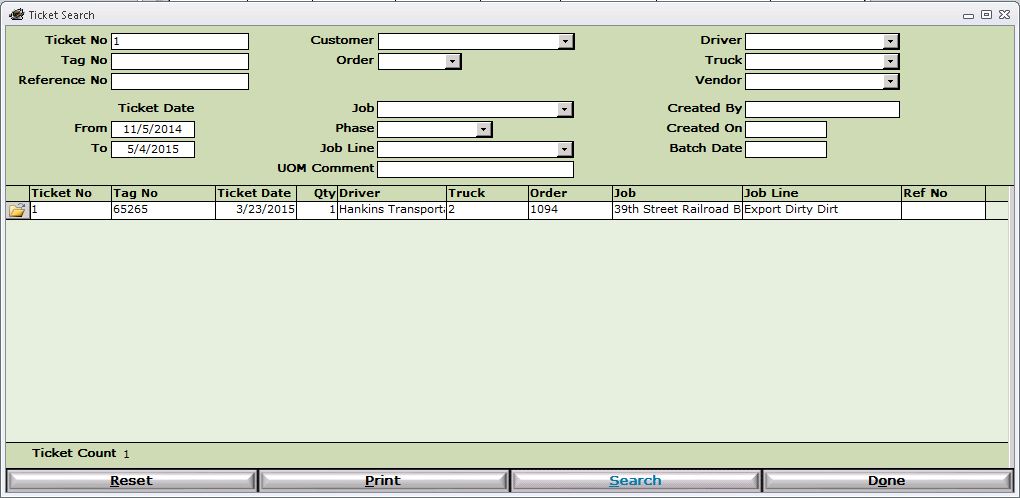
- Enter in one or more criteria.
- Note - The more criteria you enter the more restrictive your search will be.
- Click the Search button to display the results of your search.
- Click the Open Folder icon to the left of the Ticket No field to open the Ticket Details window.
Buttons
- Reset - Reset the search criteria.
- Print - Print a report of the search results.
- Search - Run the search based on the selected criteria.
- Done - Exit this window.