Customer Statements
Statements
1 views
Mar 21, 2026
Updated Sep 01, 2026
Customer Statements
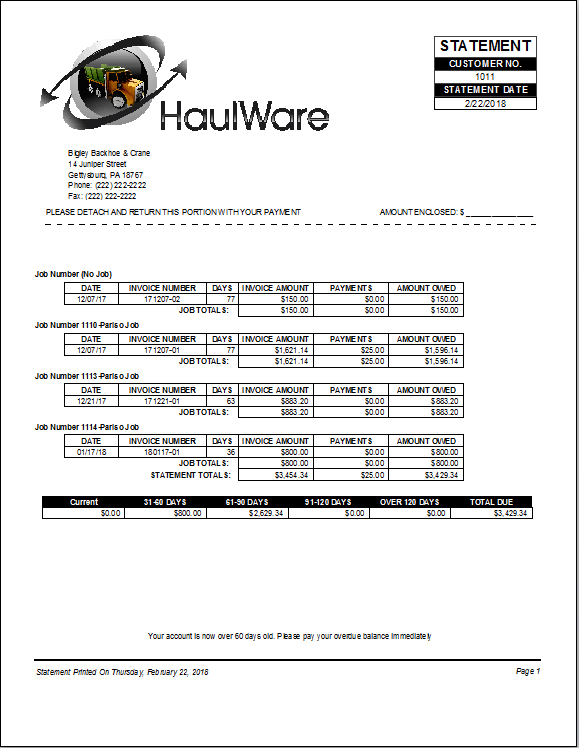
Print or preview a statement to one or all customers with an outstanding balance.
Screen Location - Main Menu > Accounts Receivable > Statements
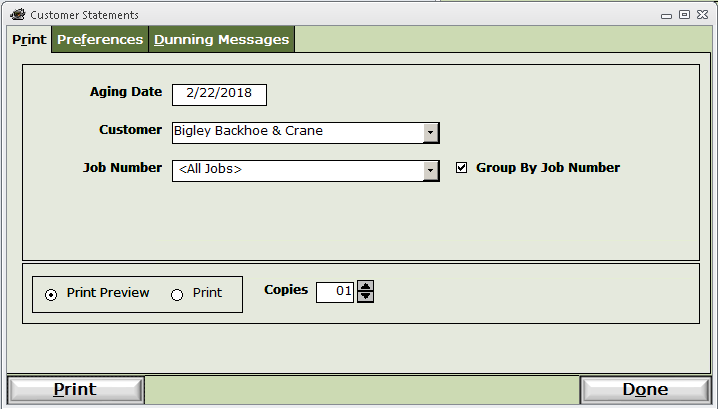
Aging Date - Date to use to calculate 30, 60, and 90 day totals.
Customer - Select one customer for a statement or <All Customers> for statements to all customers.
Job Number - Select one or all Jobs.
Group by Job Number - Will give subtotals for all invoices for each job number.
Click the Print button to preview or print the statements.
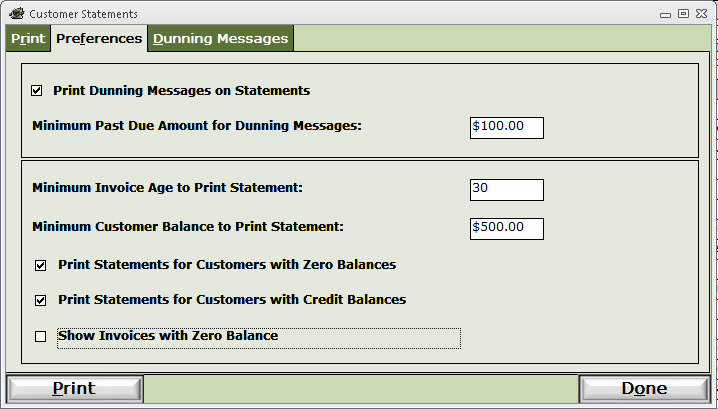
Preferences tab - Filter your output to only include statements that meet these parameters.
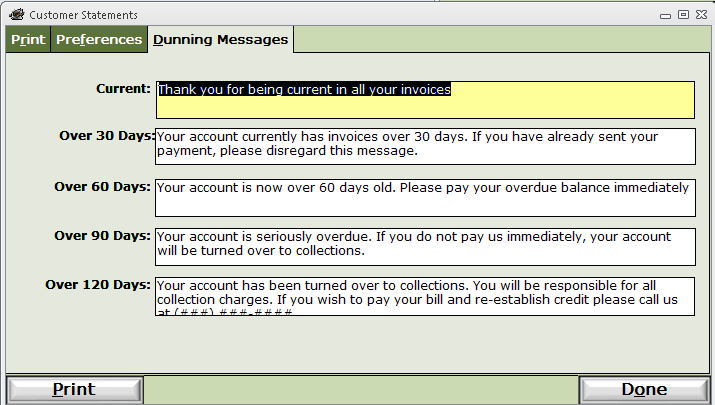
Dunning Messages tab - Control what text prints near the bottom of the statements.